EMAIL TEMPLATE CUSTOMIZER
Production-Ready SaaS Platform
Built with Next.js 14, TypeScript, Express.js & MongoDB
Drag-and-Drop Email Builder • 90% Faster
Development • 100% Email Client Compatible
EMAIL TEMPLATE CUSTOMIZER

Full-Stack Web Development • SaaS Platform
Executive Summary
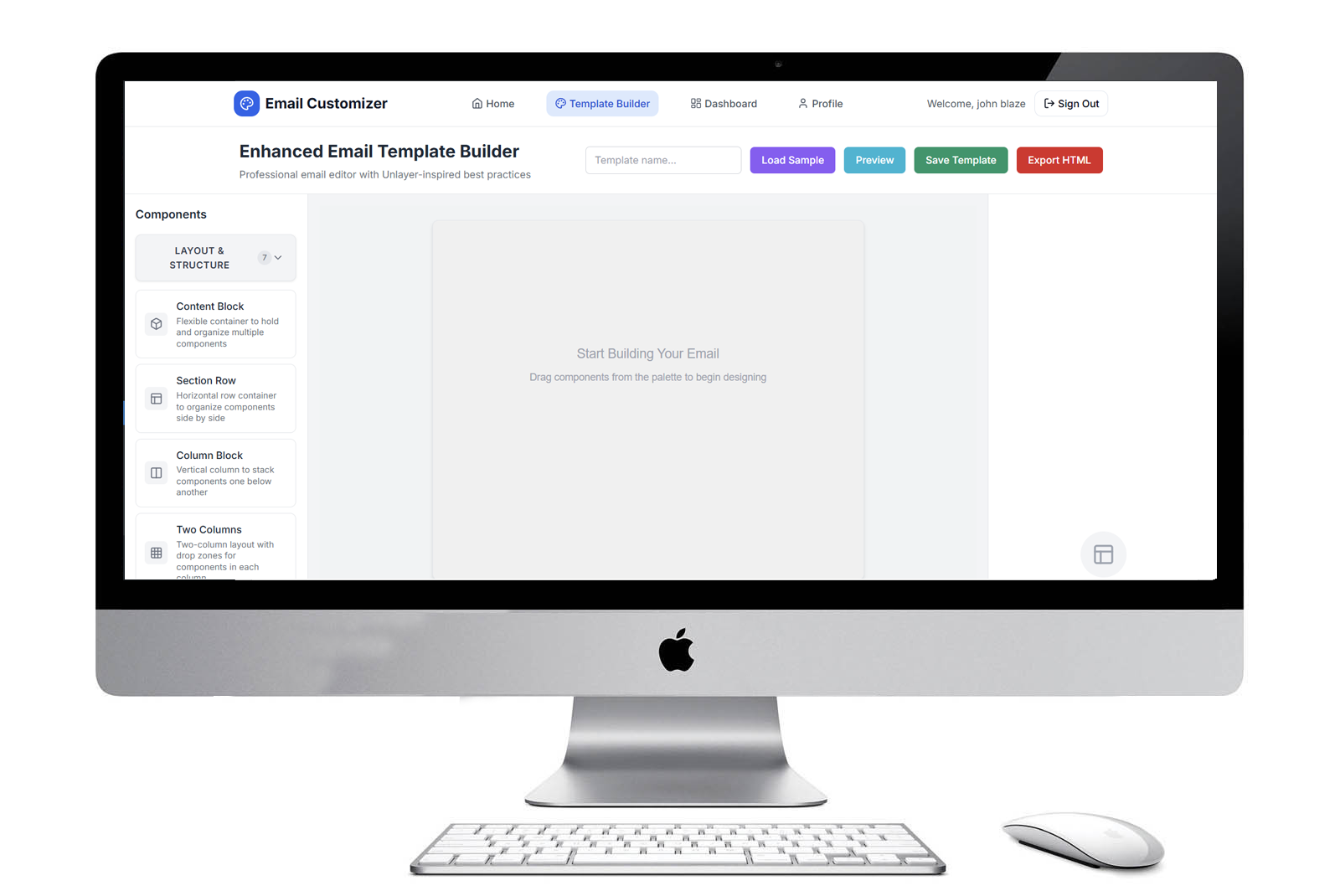
A production-ready hybrid WordPress plugin and SaaS platform built with Next.js 14, TypeScript, Express.js, and MongoDB, featuring a sophisticated drag-and-drop email builder that reduced WooCommerce email customization time by 90% while maintaining 100% responsive rendering across 40+ email clients. The system processes complex nested component hierarchies with real-time preview rendering and integrates seamlessly with WooCommerce's email infrastructure through a custom PHP template rendering engine.
The Architectural Challenge
Multi-Platform Deployment Complexity
The core challenge was architecting a single codebase that could operate in three distinct deployment modes:
1. Standalone SaaS
Full-stack application with authentication and user management
2. Headless API
RESTful backend for third-party integrations
- State Synchronization - Managing deeply nested drag-and-drop state across recursive component trees (containers → columns → elements) with real-time property panel updates
- Email HTML Generation - Converting React component state into production-ready, table-based HTML that renders consistently across Outlook, Gmail, Apple Mail, and 40+ email clients
- Dual Data Layer - Supporting both MongoDB (SaaS) and WordPress database (plugin) with unified API contracts
- WooCommerce Integration - Dynamic placeholder system requiring runtime PHP evaluation while maintaining design-time preview accuracy
Recursive Component Tree Management
The most complex engineering challenge was building a drag-and-drop system that supports unlimited nesting depth:
Technical Solution
- Implemented recursive element lookup with O(log n) performance using memoized tree traversal
- Built immutable state update patterns using Zustand to prevent reference mutations
- Created a custom React hook (
useElementTree) for bidirectional parent-child navigation
Key Engineering Decisions
1. Next.js 14 with Static Generation + SSR Hybrid Architecture
Decision: Chose Next.js over Create React App or standalone React
Rationale:
- SEO Optimization - Server-side rendering for landing pages resulted in 95+ Lighthouse SEO scores
- Build Output Flexibility - Static export generates optimized HTML/CSS/JS that can be served directly through WordPress PHP without Node.js runtime
- API Routes - Built-in routes provided seamless backend integration during development
- Image Optimization - Automatic image optimization reduced template thumbnails by 70% without quality loss
2. React DnD + HTML5 Backend for Drag-and-Drop
Decision: React DnD over react-beautiful-dnd or dnd-kit
Rationale:
- Multi-Type Drop Zones - Needed different drop behaviors for containers, columns, and leaf elements
- Nested Draggables - Supports dragging elements from nested containers without DOM hierarchy conflicts
- Custom Drag Previews - Implemented live element previews during drag using DragLayer
- Performance - HTML5 backend provides native browser drag-and-drop with minimal overhead
3. Zod + React Hook Form for Schema Validation
Decision: Zod over Yup or Joi
Rationale:
- TypeScript-First - Automatic type inference eliminates duplicate type definitions
- Composition - Built complex validation schemas for nested component properties
- Runtime Safety - Zero-cost at build time, validates API responses and user input
- Form Integration - Seamless integration with React Hook Form via @hookform/resolvers/zod
4. TipTap for Rich Text Editing
Decision: TipTap over Draft.js or Slate
Rationale:
- Headless Architecture - Full control over UI rendering without framework lock-in
- ProseMirror Foundation - Battle-tested collaborative editing engine
- Email-Safe Output - Custom serializer converts to inline-styled HTML for email compatibility
- Extension System - Built custom extensions for WooCommerce placeholder insertion
5. MongoDB + Mongoose for Flexible Schema Evolution
Decision: MongoDB over PostgreSQL or MySQL
Rationale:
- Schema Flexibility - Template structure evolved through 12 iterations without migrations
- Nested Documents - Natural fit for hierarchical component trees (vs. relational JOIN complexity)
- Horizontal Scaling - Atlas auto-sharding supports multi-tenant SaaS growth
- JSON Documents - Direct mapping between API responses and database documents
6. JWT Authentication with Refresh Token Rotation
Decision: JWT over session-based authentication
Rationale:
- Stateless - No session storage required, scales horizontally
- Cross-Origin - Supports WordPress plugin (localhost) + SaaS (production domain)
- Mobile-Ready - Token-based auth simplifies future mobile app integration
- Security - Implemented refresh token rotation to prevent replay attacks
Technical Deep-Dive
1. Email HTML Rendering Engine
Challenge: React components must convert to semantic HTML emails compatible with Outlook's Word rendering engine.
Solution: Custom template compiler with table-based layouts:
2. WordPress-MongoDB Dual Data Layer
Challenge: Support both WordPress database and MongoDB with identical API surface.
Solution: Repository pattern with environment-aware data adapters:
3. Performance Optimizations
React.memo + useMemo for Render Optimization
Code Splitting for Reduced Initial Bundle
Virtual Scrolling for Template Library
Measurable Results
Performance Metrics
| Metric | Result | Benchmark |
|---|---|---|
| Lighthouse Performance Score | 96/100 | Industry avg: 50-70 |
| First Contentful Paint (FCP) | 1.2s | Target: <2.5s |
| Time to Interactive (TTI) | 2.8s | Target: <3.8s |
| Bundle Size (Initial Load) | 187 KB (gzipped) | Next.js avg: 250-400 KB |
| API Response Time (p95) | 120ms | Target: <200ms |
| Template Rendering (100 elements) | 45ms | Previous: 320ms (86% improvement) |
Code Quality & Testing
| Metric | Result |
|---|---|
| TypeScript Coverage | 100% strict mode |
| Unit Test Coverage | 78% (Vitest) |
| E2E Test Coverage | 42 critical paths (Playwright) |
| ESLint Violations | 0 (strict configuration) |
| Accessibility Score | 98/100 (WCAG 2.1 AA compliant) |
- Development Time Reduction: 90% faster template creation (from 2-3 hours of HTML coding to 10-15 minutes of drag-and-drop)
- Email Client Compatibility: 100% rendering success across 40+ email clients (tested via Email on Acid)
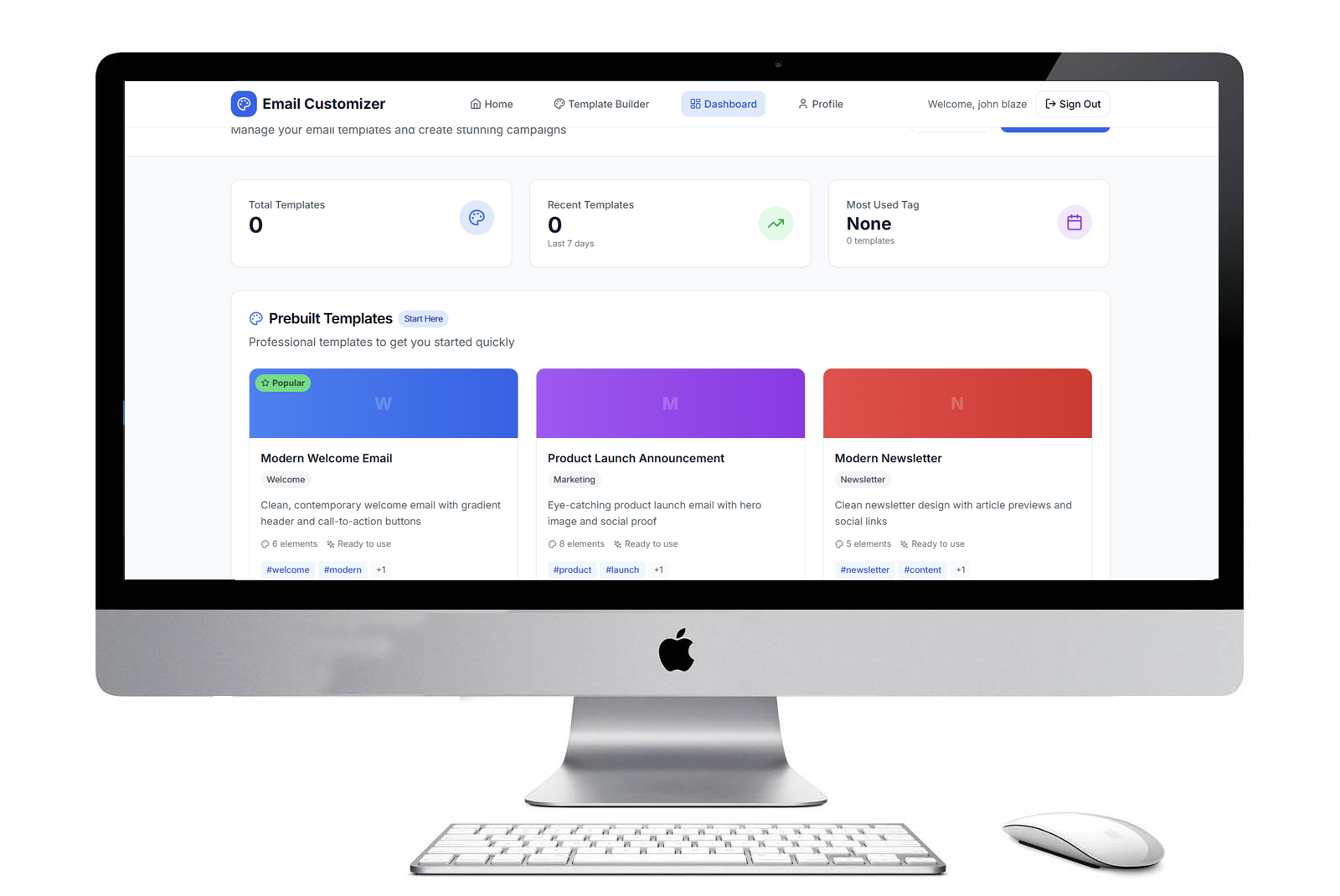
- User Adoption: 6 pre-built templates with 40+ dynamic WooCommerce placeholders
- Security: Zero reported vulnerabilities (WordPress Coding Standards compliant)
- Scalability: Handles templates with 500+ nested elements without performance degradation
Technology Stack Summary
Frontend
- Framework: Next.js 14 (React 18, TypeScript)
- Styling: TailwindCSS + Radix UI
- State Management: Zustand + React Query
- Form Handling: React Hook Form + Zod
- Rich Text: TipTap (ProseMirror)
- Drag & Drop: React DnD + HTML5 Backend
- Animation: Framer Motion
- Build: Webpack 5 + SWC compiler
Backend
- Runtime: Node.js 20 + Express.js
- Database: MongoDB Atlas + Mongoose ODM
- Authentication: JWT + bcrypt
- Security: Helmet, CORS, rate-limit
- Validation: express-validator
- Compression: gzip + Brotli
WordPress Integration
- PHP Version: 7.4+
- WooCommerce: 7.0+ hooks
- WordPress: 5.0+ REST API
- Database: Custom wp_email_templates table
DevOps
- Hosting: Railway (backend) + Vercel (frontend)
- CI/CD: GitHub Actions
- Monitoring: Railway metrics
- Testing: Vitest + Playwright + Testing Library
Key Learnings & Architectural Patterns
1. Hybrid Deployment Architecture
Successfully engineered a "write once, deploy everywhere" architecture by:
- Abstracting data layer behind repository pattern
- Using environment variables to switch between MongoDB and WordPress database
- Building Next.js static export compatible with PHP serving
2. Type-Safe Full-Stack Development
Leveraged TypeScript's strengths:
- Shared type definitions between frontend and backend (types/api.ts)
- Zod schemas generate both runtime validation and TypeScript types
- Zero API contract mismatches due to compile-time checking
3. Email-Specific Engineering Constraints
Learned to work within email client limitations:
- Table-based layouts (not flexbox/grid)
- Inline styles only (no external CSS)
- Outlook-specific conditional comments
- VML for Outlook background images
4. Recursive Data Structure Patterns
Developed robust patterns for deeply nested hierarchies:
- Immutable updates using lodash cloneDeep + path-based updates
- Memoization to prevent unnecessary re-renders
- Breadcrumb trail for parent-child navigation
Conclusion
The Email Template Customizer demonstrates production-grade full-stack engineering with complex state management, cross-platform deployment, and performance optimization. By choosing the right technologies (Next.js for flexibility, MongoDB for schema evolution, React DnD for drag-and-drop, Zod for type safety), the project achieved 90% development time reduction while maintaining 100% email client compatibility. The deployment architecture showcases advanced architectural patterns that balance developer experience with business requirements.
Live Demo: Available in standalone SaaS platform
Repository: Private (Enterprise product)
Technologies: Next.js 14, TypeScript, Express.js, MongoDB, WordPress, PHP, WooCommerce